 Bourbe

dokety
Coming soon to Google Play
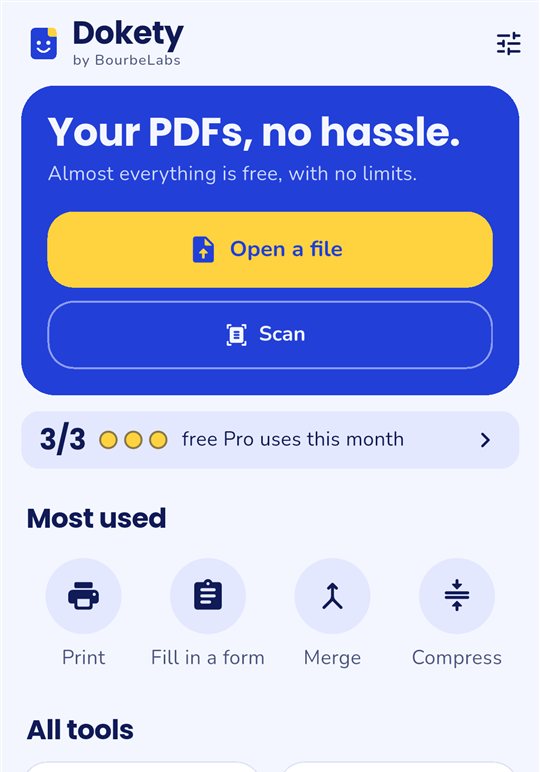
Your PDFs, no hassle.
Everything you do with a PDF, on your phone, in seconds: change its text, fill it in, sign it, convert it or print it. Your files are processed on your device and never uploaded to any server.
In English, Spanish and French. For Android.
What it does
Edit and sign
Change the text of your PDFs, fill in forms, add notes, hide details and place your signature.
Scan
Scan paper with the camera and recognize its text (OCR) to search, copy or edit it.
Convert
PDF, Word, Excel, images, text and CSV, in every direction.
Organize and compress
Merge, split, reorder, rotate, extract pages and shrink heavy files.
Straight to your Wi-Fi printer, with a preview, several pages per sheet and ink saving.
Remove backgrounds
Keep just the person or object in a photo, on a transparent, white or blue background.
ZIP and extraction
Open and create ZIP files, and get the images out of a PDF at their original size.
Truly private
Everything is processed on your phone. Your files are never uploaded. No ads and no account.
Free to start
Almost everything is free with no limits: view, print, scan, fill in, annotate, merge, split, compress, convert, remove backgrounds and open ZIP files. Dokety Pro adds editing PDF text, signing, PDF to Word and watermarks, for €0.99 a month or €14.99 for life. Signing, PDF to Word and watermarks include 3 free uses a month, and you can try editing text for free with a preview.
Dokety is covered by the BourbeLabs terms and privacy policy.
Frequently asked questions
Are my documents uploaded anywhere?
No. Dokety processes them on your phone and never sends them to a server. The app only connects for Google Play payments, to send what you choose to print to the printer on your network, and for Google ML Kit technical diagnostics, which never include your documents.
Is the signature legally valid?
It's a simple electronic signature: fine for many everyday documents, but not for those that require an advanced or qualified signature.
Do conversions keep the layout?
From Word and Excel to PDF, text, headings, tables and pictures are kept, though the layout may change. From PDF to Word, the text is extracted, including the text of scans thanks to text recognition.
Does it work with my printer?
Dokety finds the printers on your Wi-Fi and sends them the document directly, without leaving the app. It works with most printers that support AirPrint or Mopria; for the others, you can use Android printing in one tap.
Why doesn't it ask for camera or file permissions?
Because it doesn't need them. You choose each file with Android's picker, which only gives access to that file, and the scanner is Google Play's, which handles the camera itself. Dokety never sees the rest of your phone.
Can I use Dokety with any document?
Only with documents you have the right to edit. You are responsible for what you edit and share: Dokety must not be used to forge documents or deceive anyone. Read the responsible use notice.